
Open PST Files Without Outlook
MailRelic opens PST files directly on Windows, so Outlook does not need to be installed. Browse folders, read messages, search the archive and export email without importing the PST into another mail client.
How to open a PST file with MailRelic
- Download and install MailRelic.
- Start MailRelic and choose the PST file, or drop it onto the window.
- The folder tree appears. Select a folder to see its messages, and select a message to read it.
The PST is read in place. It is not copied into Outlook, not attached to a mail profile, and not changed.
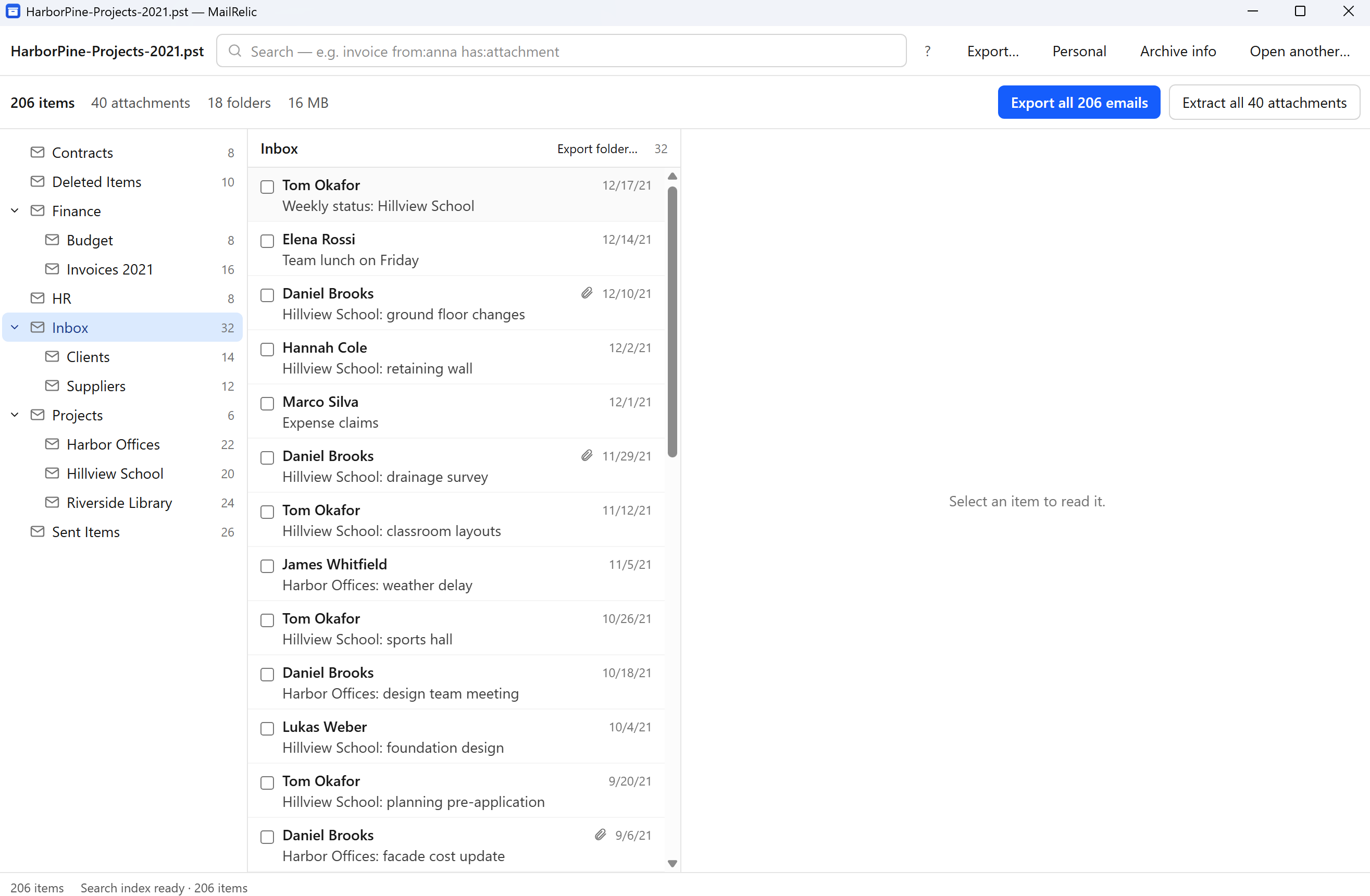
What you can do without Outlook
- Read messages, including HTML email and attached messages.
- View contacts, calendar items, tasks and notes stored in the PST.
- Search all folders by text, sender, recipient, subject, folder or date.
- Save attachments and individual messages to a folder.
- With MailRelic Personal, export many messages to EML or MBOX, for example to move them into Thunderbird.
When you still need Outlook
MailRelic is a viewer and exporter. It does not send or reply to email, and it does not write back into the PST. If you want to keep working with the messages inside Outlook, Outlook is still the tool for that.
MailRelic also cannot open OST files or ANSI PST files from Outlook 97 to 2002. See Support for what to do when a file does not open.