
Pricing
MailRelic is free to download and use for opening, reading and searching PST files. MailRelic Personal adds bulk export for a one-time $39.
MailRelic
Free
- Open PST files and browse every folder
- Read messages, contacts, calendar items, tasks and notes
- Search the whole archive
- Save attachments one at a time
- Save individual messages as .eml files
MailRelic Personal
$39 one-time
- Everything in the free download
- Export selected messages, a folder or the whole archive to EML
- Export to MBOX
- Extract all attachments in one job
- Exports keep the archive's folder structure
Use it on up to 3 devices. No subscription.
Buy Personal · $39What each edition includes
| Feature | Free | MailRelic Personal |
|---|---|---|
| Open Unicode PST files | Yes | Yes |
| Browse folders and read messages | Yes | Yes |
| View contacts, calendar items, tasks and notes | Yes | Yes |
| Search the whole archive | Yes | Yes |
| View archive information: size, folders, items, attachments | Yes | Yes |
| Save an attachment from a message | Yes | Yes |
| Save a message as an .eml file | Yes | Yes |
| Export selected messages, a folder or the whole archive to EML | No | Yes |
| Export to MBOX | No | Yes |
| Extract all attachments in one job | No | Yes |
The free edition has no limit on how many messages you read or search, or on how many messages and attachments you save one at a time. Anything started from the Export dialog needs MailRelic Personal, including an export of a single selected message.
How the licence works
- Buy MailRelic Personal. Lemon Squeezy processes the payment and emails you a licence key.
- In MailRelic, open Licence and paste the key. Activation needs an internet connection once.
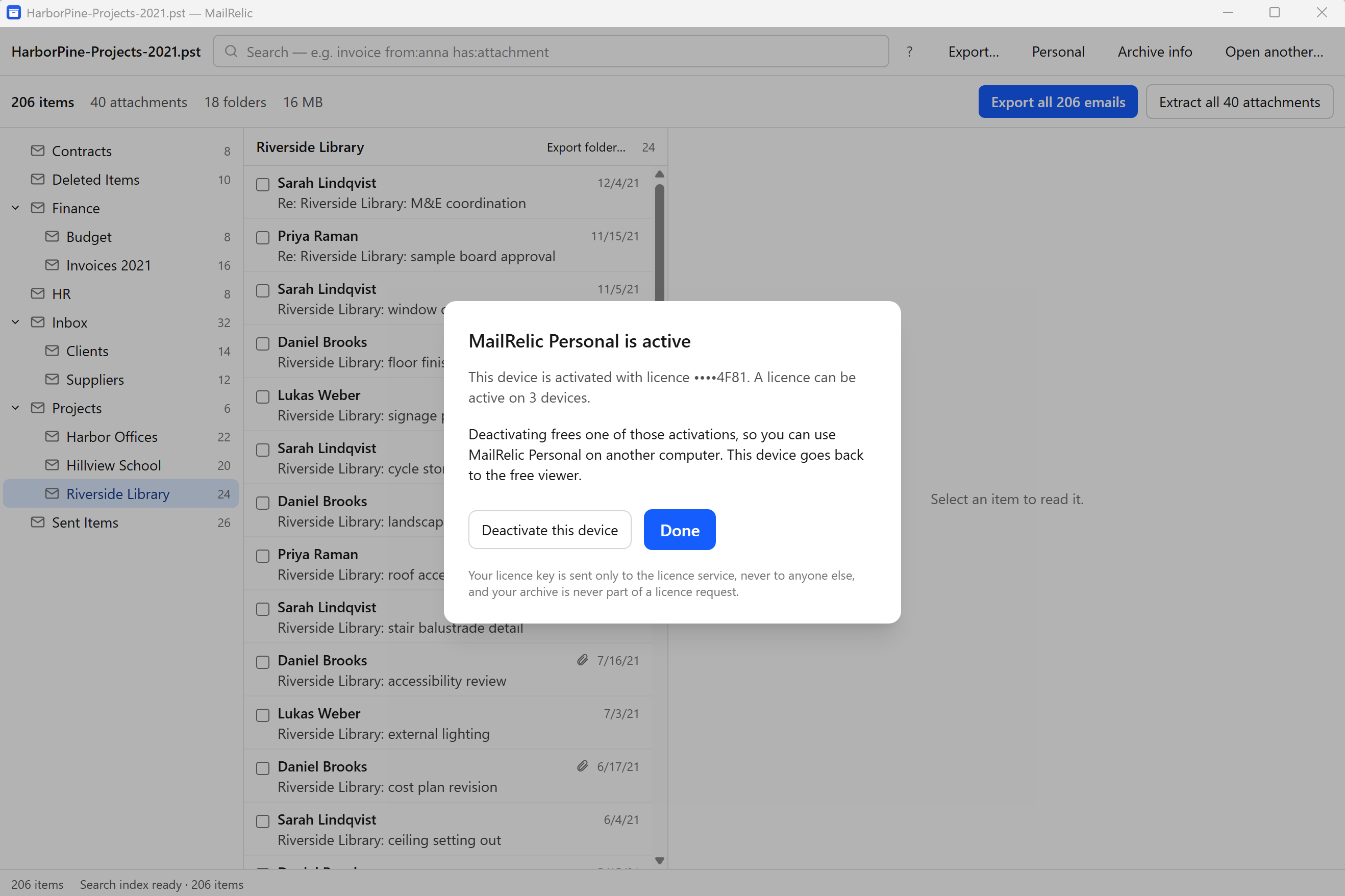
- The licence can be active on 3 devices at the same time. To move it, choose Deactivate this device on the computer you no longer use.
- The licence does not expire and covers MailRelic version 1. There is no subscription and nothing renews.
Payment
Lemon Squeezy is the merchant of record for MailRelic. It processes the payment, charges any sales tax or VAT that applies, and issues the receipt. For questions about an order, write to support@mailrelic.com.
Common questions
Can I check my PST before buying?
Yes. The free download opens the PST, shows every folder and lets you search it and save individual messages and attachments, so you can confirm the archive reads correctly before paying.
Do I need to reinstall after buying?
No. There is only one MailRelic installer. Enter the licence key in the app you already have and the export features become available.
Does uninstalling MailRelic free an activation?
No. Uninstalling keeps the licence on that computer, so reinstalling there does not use another activation. To move the licence to a different computer, use Deactivate this device first.
What if the old computer is no longer available?
Write to support@mailrelic.com with the email address used for the purchase.