
Free PST Viewer for Windows
MailRelic opens Outlook PST files on Windows and shows their folders, messages, attachments, contacts, calendar items, tasks and notes. Outlook does not need to be installed, and the PST file is opened read-only.
Viewing and searching are free, with no limit on how many messages you open or search. Exporting many messages at once is part of MailRelic Personal.
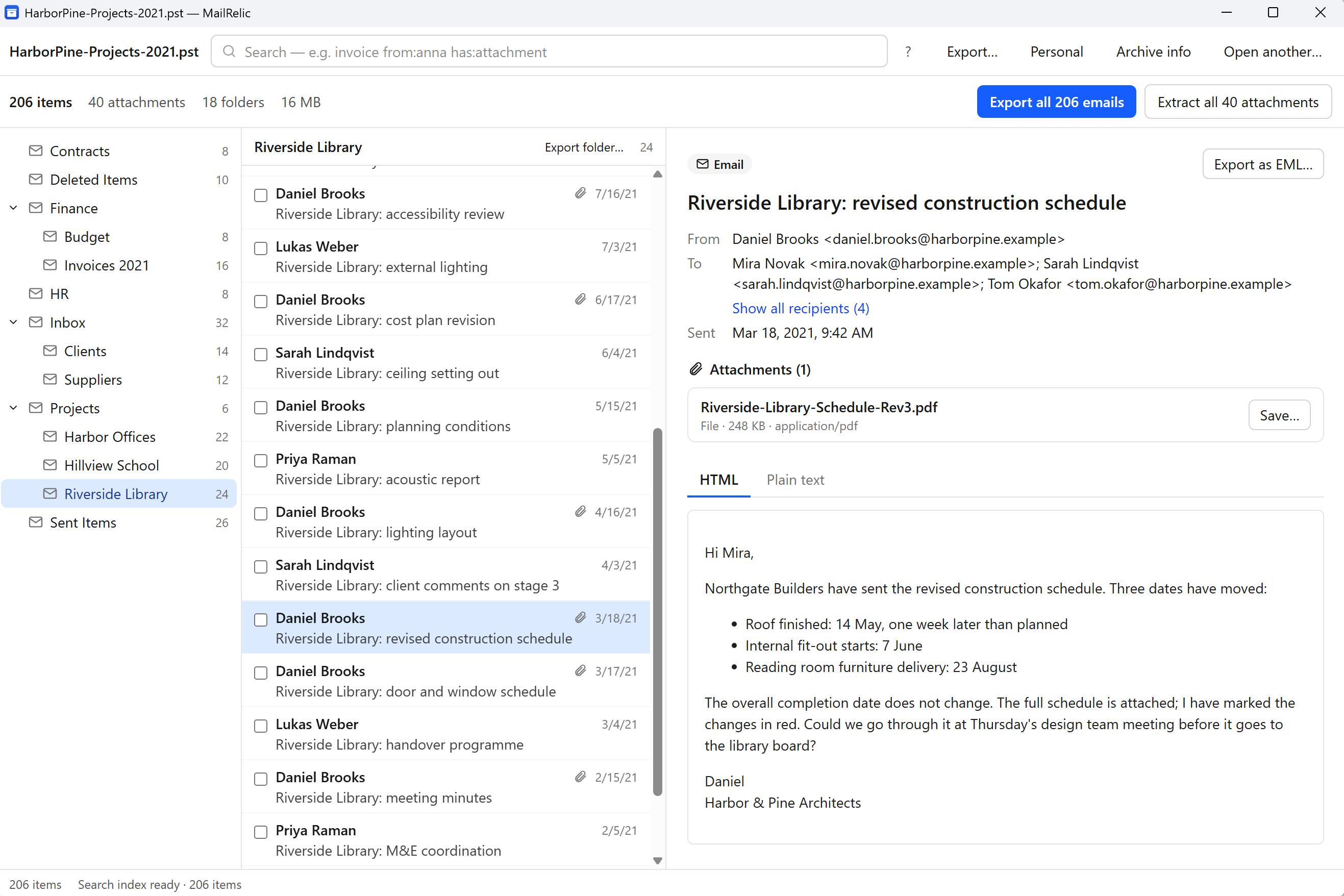
What you see when a PST is open
- The archive's folder tree, with the same folder names as in Outlook.
- A list of the items in each folder.
- The selected message: sender, recipients, sent and received dates, and the HTML or plain-text body. Images that would load from the internet are blocked.
- Attachments listed under each message. Attached emails can be opened in place.
- Contacts, calendar items, tasks and notes, when the archive contains them.
- Archive information: file size, folder count, item count and attachment count.
Search every folder
Search covers the whole archive. Plain words search the text of messages, and filters narrow the results:
from: | Sender name or address |
|---|---|
to: cc: bcc: | Recipients |
subject: | Words in the subject |
folder: | Only messages in a folder |
after: before: | A date, written as YYYY-MM-DD |
has:attachment | Only messages with attachments |
Quote values that contain spaces, for example subject:"annual report".
Saving messages and attachments
The free download saves any single message as an .eml file and any attachment as a file, as often as you need. MailRelic Personal ($39 one-time) adds exports of many messages at once: to EML, to MBOX, and all attachments from a folder or the whole archive.
Which PST files are supported
MailRelic opens Unicode PST files, the format Outlook 2003 and later versions create. It does not open ANSI PST files from Outlook 97 to 2002 or OST files, and it does not repair damaged PST files; it reports the problem and leaves the file as it is.
Related: opening PST files without Outlook and opening large PST files.